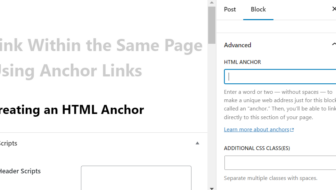
When you have a landing page or another longer page, you may want have button at the top of the page that links to a form or other element within the page. These types of links within a page are called anchor links.
Creating Anchor Links in ...
[Read more]
WordPress Tips
Do Titles Matter for Search Engine Optimization?
You probably know that your website content helps people find you in search. The title of each page or post plays a key role in Search Engine Optimization (SEO). Write titles that clearly summarize the page and include the terms your audience is ...
[Read more]
3 Quick Image Block Hacks
https://youtu.be/aWj9FHrsxQo
Having images on your website is a way to let your audience know exactly who you are and what your message is through quick snapshots. Adding images is also a way to draw people in and pay attention to what you have to ...
[Read more]
Deleting Old Form Entries
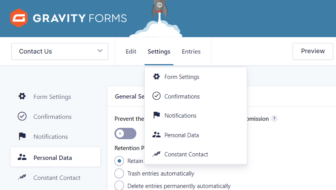
Did you know that when someone submits a form on your website that the information is normally stored there in addition to the email notification you receive? It’s a good idea to periodically delete old entries that you no longer need. That way you ...
[Read more]
Optimize Your WordPress Posts with the Document Overview Tool
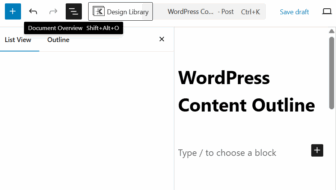
If you’ve ever felt lost in the sea of blocks when editing a WordPress post or page, you’re not alone. WordPress's block editor is powerful—but navigating a long page can be overwhelming, especially when you're trying to stay organized and optimize ...
[Read more]
Add a YouTube Video to Your Post or Page
Do you want a video to play within your WordPress website? Embedding a video using a video hosting service is a better option than uploading them directly to your WordPress site for several key reasons:
There are free and paid video hosting ...
[Read more]
Clean Up Your Content with Redirects

As time goes by, your website’s content may start to show signs of age. When customers visit your site, they expect the information to be accurate and relevant, but if your content is outdated, it can raise questions about your credibility and hurt ...
[Read more]
Using the “Quick Edit” Tool
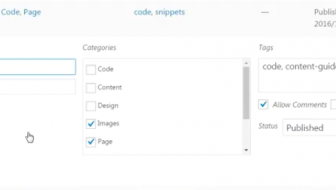
Using the Quick Edit tool will save you a lot of time when editing your posts.
https://youtu.be/GiKejGPEpd4
Using the Quick Edit Link
You can make these changes directly from the All Posts page using the Quick Edit link:
Published category ...
[Read more]