Sometimes a small feature is a big win. WordPress now has a built-in ability to hide a block. Why would you want to do that?
The Hide Block option is especially helpful for content that is temporary or seasonal. Rather than rebuilding sections each time you need them, you can keep them in place and activate them when needed.
Some uses include:
- Announcements that are only relevant for a short time
- Seasonal topics or holiday messaging
- Sale items or limited-time promotions
- Banners you may want to reuse
- Content you are still working on but not ready to publish
This makes it easier to keep consistent formatting without starting from scratch each time.
How to Hide a Block
- Open the page, post, or template in the WordPress block editor.
- Click on the block you want to hide.
- Open the blog list view to see the block you have selected and hit Hide
- The block will no longer appear in the editor view, but it is still saved within the page.
- Preview or view the page on the front end to confirm the block is no longer visible.
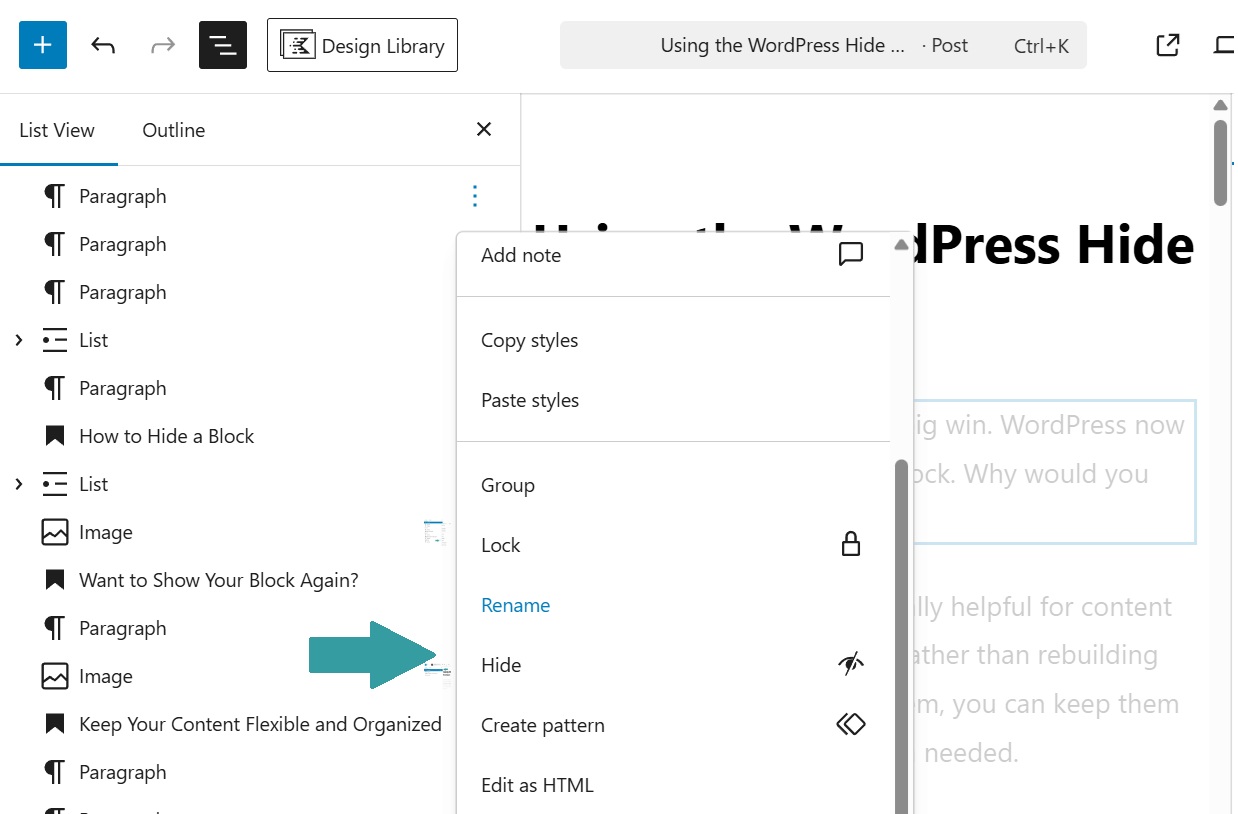
Want to Show Your Block Again?
When you are ready to bring the content back, open the List View in the editor. Locate the hidden block and switch it back to Show. The block will return to both the editor and the live page.
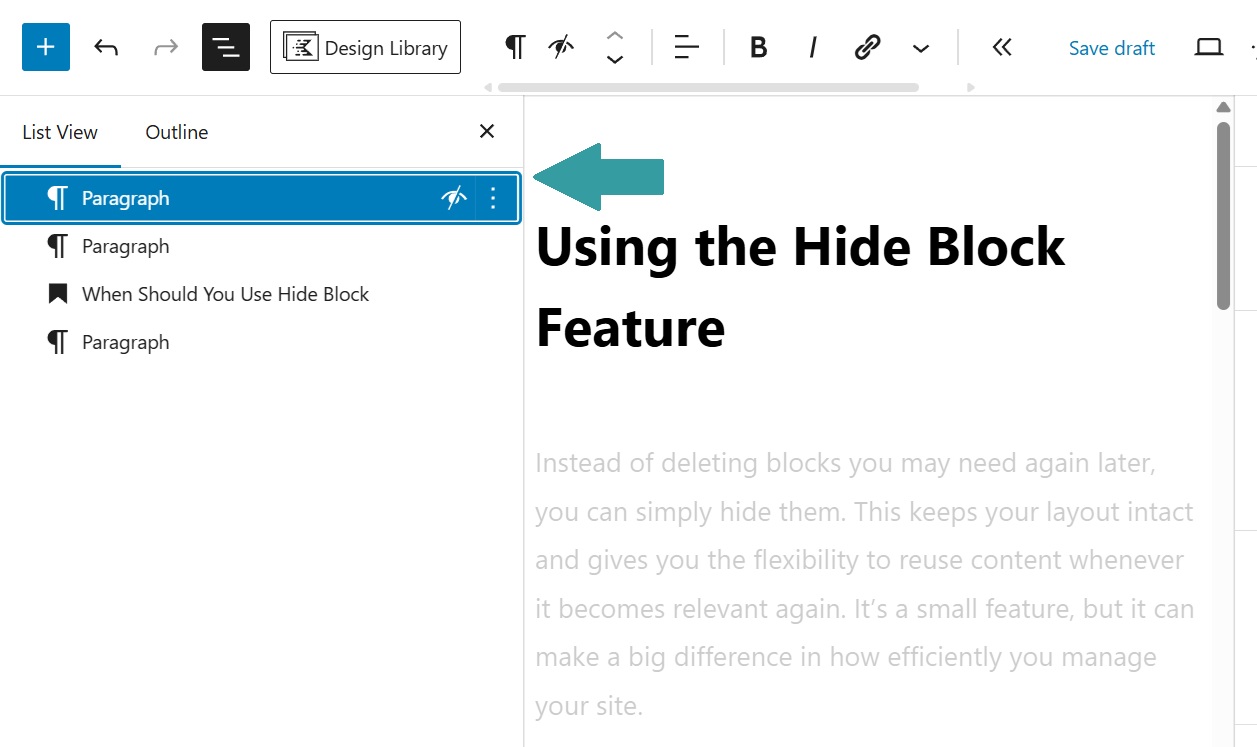
Keep Your Content Flexible and Organized
If you regularly update the content in certain pages of your website, use this feature to keep organized.
For example, a retail business can hide a holiday promotion once the season ends and reactivate it the following year. A local business might keep announcement blocks ready for special events or schedule changes. An e-commerce site can toggle sale items on and off as inventory shifts.
By keeping these sections in place, you avoid rebuilding content and reduce the chance of inconsistencies or missed details.
The Hide Block feature is a simple but powerful way to manage your website more efficiently. It allows you to keep content organized, reduce extra work, and stay flexible as your messaging changes throughout the year.
For businesses that update their websites regularly, this is an easy win that can save time and make ongoing content management much smoother.