Ever get lost scrolling through a long WordPress post? The Document Overview is designed to fix that. It combines tools like List View and the Document Outline to help you see your content’s structure, navigate sections quickly, and stay in control as your posts get longer or more complex.
List View
The List View gives you a quick snapshot of your content’s structure. Instead of scrolling endlessly through a long post, you can see every heading and block listed in one place.
This is especially helpful for longer articles, guides, or landing pages where organization matters. Not only can you see the overall structure of your page or blog post, but you can quickly access blocks to edit with ease.

- Select the 3-line Block Navigation icon from the top toolbar to view the block list in order of how each block appears on the page or post.
- Choose which block you want to work on and your cursor will jump to that section of the page.
When a post has multiple sections to manage, this tool saves time. It lets you rearrange and organize blocks directly from the list view, making edits faster and more intuitive.
Outline
You may also notice Outline within the Document Overview. This is another cool feature that gives you a snapshot of your work.
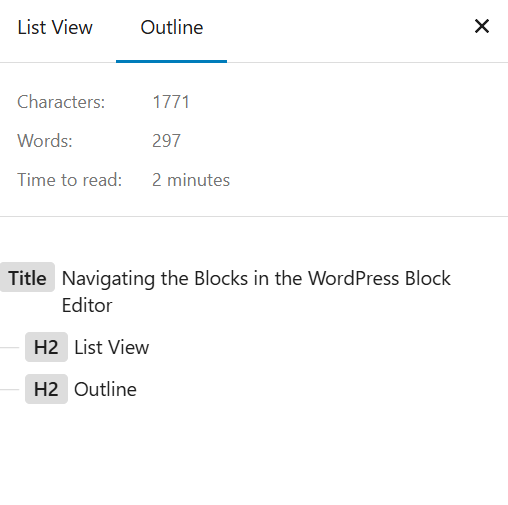
The Document Outline helps you visualize the structure of your content by displaying your headings in a clear, organized list. This makes it easier to review hierarchy, improve readability, and ensure your content is well-structured for both users and search engines.
Think of the Document Overview as a built-in outline for your post. It gives you a clear view of how your content is structured. Now you can move faster, stay organized, and avoid getting lost in long blocks of text. When time is limited and content has to get done between everything else on your plate, this kind of clarity makes editing much easier.
Updated January 27, 2026